Engineering & R&D
Partner engineering firms turn your idea into a design that can be built.
 Start a project
Bling your business
From a first sketch to a product on the shelf: engineering and prototypes, the legal basics, shelf-ready packaging and introductions to big-box buyers.
Product Engineering
Our partner engineering firms and prototyping shops take you from a first sketch to CAD, working prototypes and factory-ready files, plus patent-ready drawings and introductions to independent IP law firms.
Meet Fateh Merrad, our industrial designerConsumer products, jewelry and automotive design, SolidWorks and rendersSee it
A swivel snap hook for Mojo Pet Products, from a dimensioned drawing to a 3D-printed test part to a polished metal sample, then coated black for the finished leash. Mojo is a separate company; its hardware, leash and photos are shown with permission. Animation and sound by Bling Studio.
See the Mojo case studyPartner engineering firms turn your idea into a design that can be built.
Partner prototyping shops build working prototypes so you can test before you commit.
CAD models and the files a manufacturer needs to quote and build.
Patent-ready drawings for your attorney to file, plus introductions to independent patent and trademark attorneys.
See patentsBling Ventures is not a law firm and does not give legal advice. The attorneys we introduce are independent, and your agreement with them is directly with them.
Legal Guidance
Settle the legal basics early, so a conflict does not surprise you after you have paid for packaging, tooling and inventory. Independent attorneys do the legal work. We make the patent drawings.
Before you pay for a logo, a website or packaging, an attorney can search whether your name is already taken, or too close to one that is, and whether it can be registered as a trademark.
Independent attorneyAn attorney, together with your accountant, can help you choose a structure such as an LLC, set it up, and put in writing who owns the brand and the idea when there is more than one owner.
Independent attorneyA patent search can show whether something like your invention already exists, and whether your product could step on someone else's patent. Learning that now costs far less than learning it after launch. No search catches everything, and only an attorney can tell you what the results mean.
Independent attorneyIf your product is new, an attorney can advise whether and how to patent it. We prepare the clear black-and-white drawings the patent office asks for, ready for your attorney to file.
Attorney files, Bling draws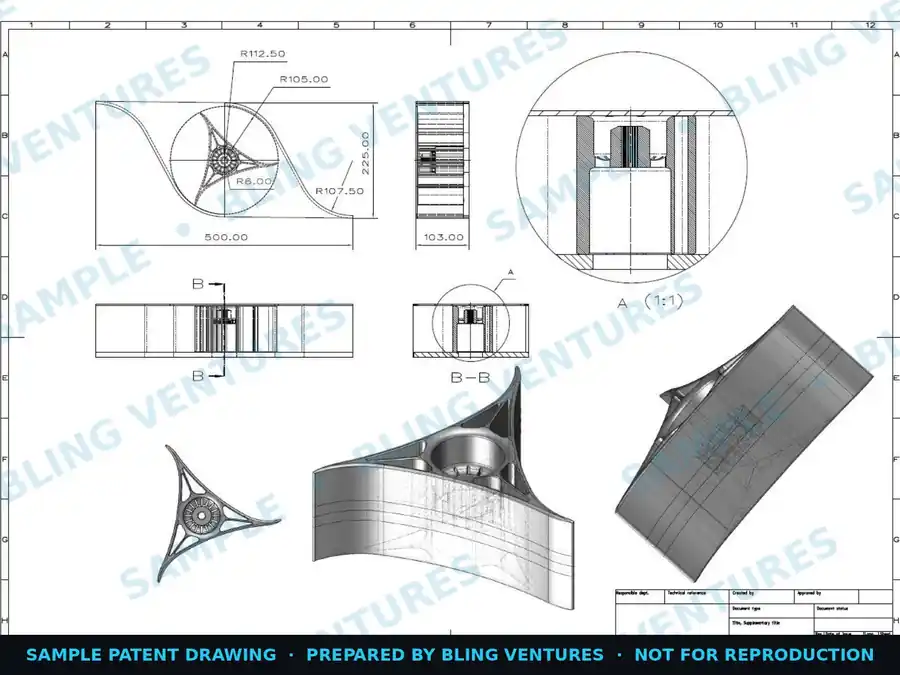
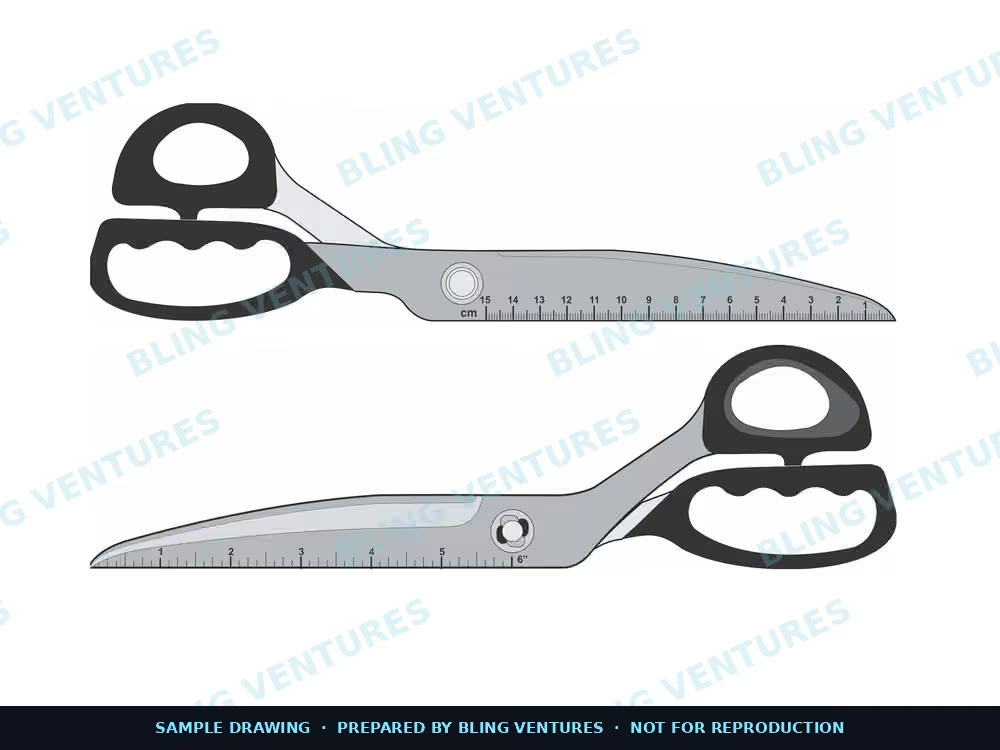
A wind turbine rotor and a pair of kitchen shears, shown as watermarked samples. Your drawings are prepared to the patent office's format and handed to your attorney for final review and filing. Tap a sheet to see it larger.
Bling Ventures is not a law firm and does not give legal advice. We do not give an opinion on whether a name is available, which company structure to choose, whether an idea can be patented or whether a product infringes a patent, and we do not draft legal agreements. The attorneys we introduce are independent, and your agreement with them is directly with them.
Packaging Design
Shelf-ready packaging that sells your product and holds up in front of a retail buyer. Start with the finished box, then watch how it got there: from a first sketch to a package ready for the printer. Then see a second brand, Mojo Pet Products, go from product shots to a retail display.
Step by step
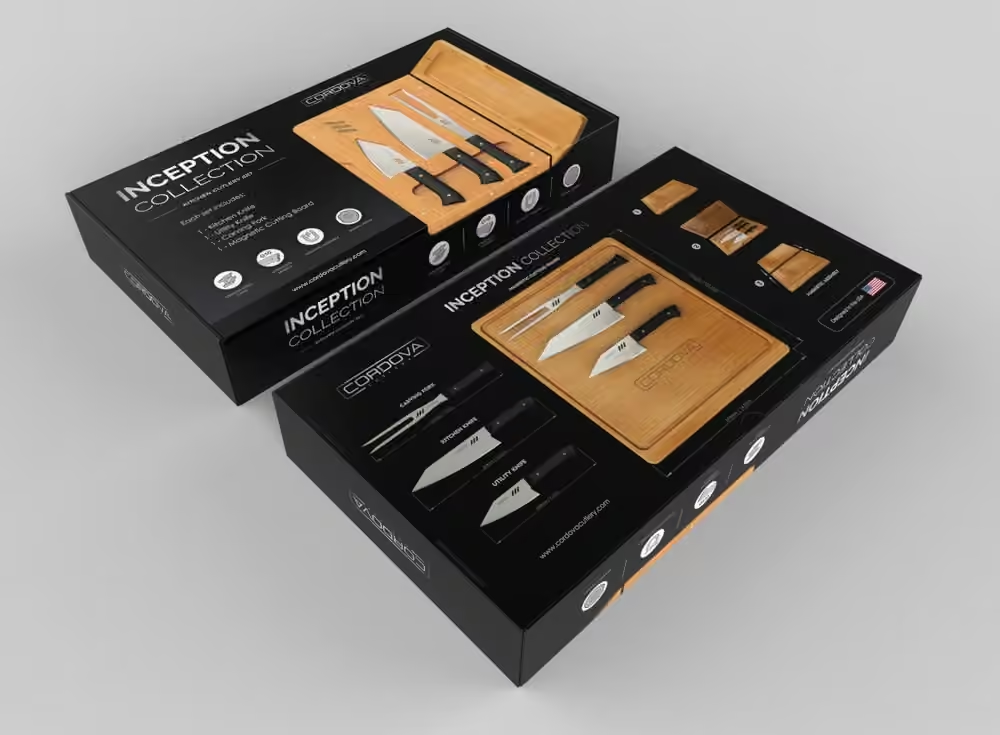
The black box for Cordova's Inception Collection kitchen cutlery set, ready for the shelf. Here is how it got there, one step at a time.

Every box starts on paper: the size, what goes inside, where the logo sits and which colors to try. A quick sketch settles questions that would cost days to fix later in design.
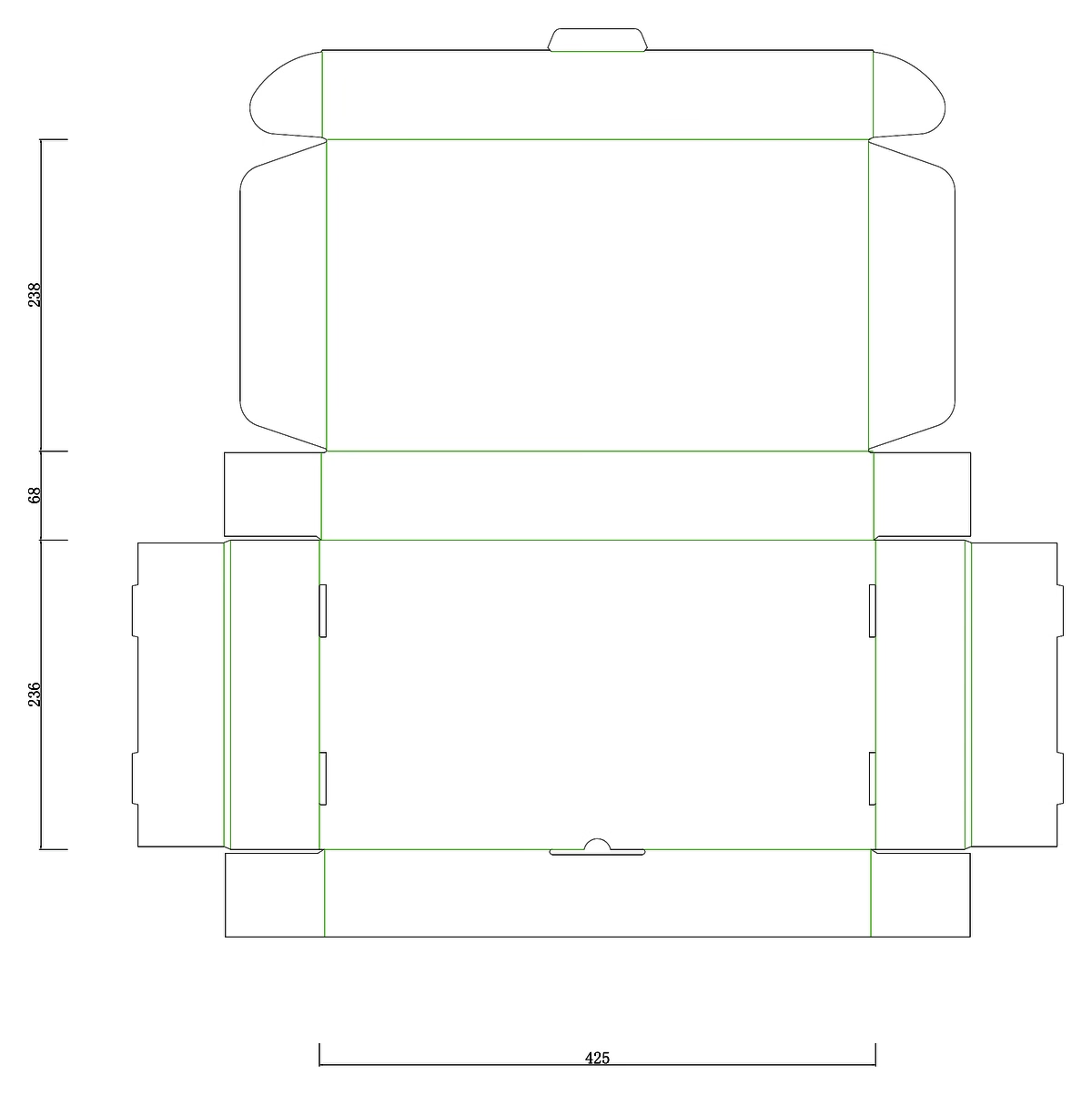
The flat plan of the box: 425 × 238 × 68 mm. Cut lines are black and folds are green. The printer cuts and folds from this exact file, so every panel of artwork has to sit inside it.
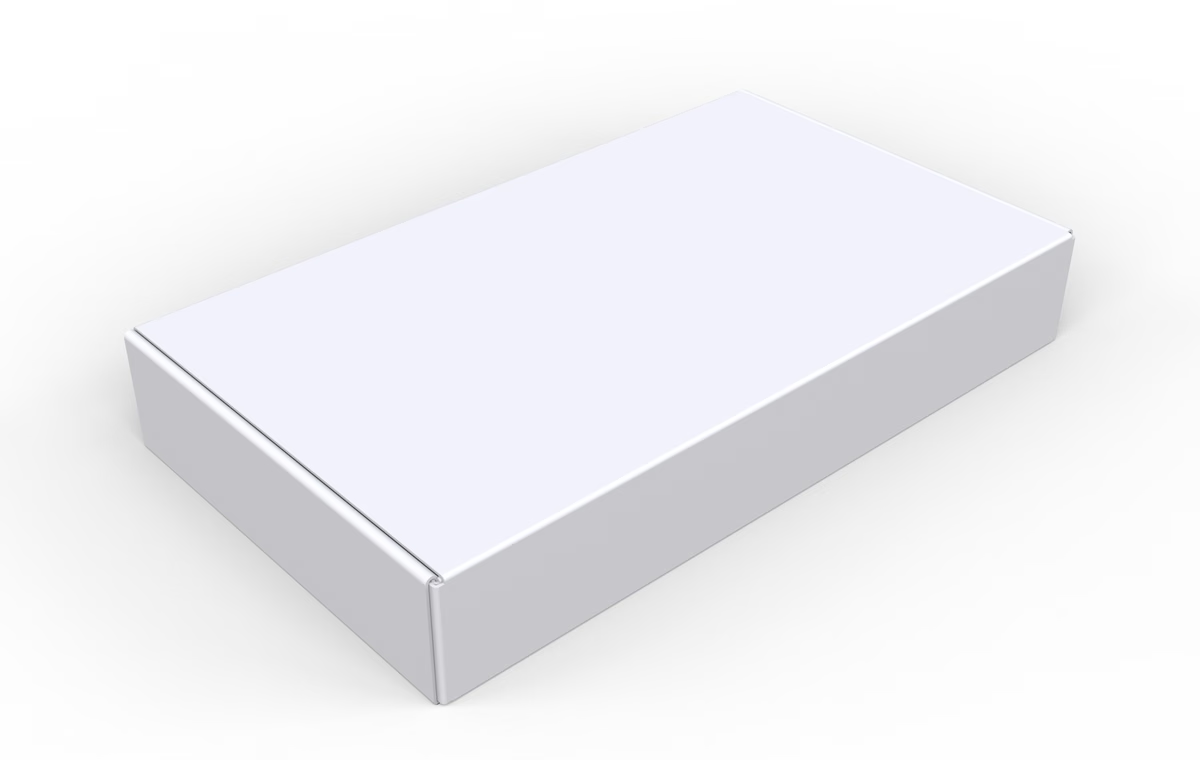
The die line folds up into a plain box at the exact size, with nothing printed on it yet. The shape comes first, so every choice after this one is deliberate.
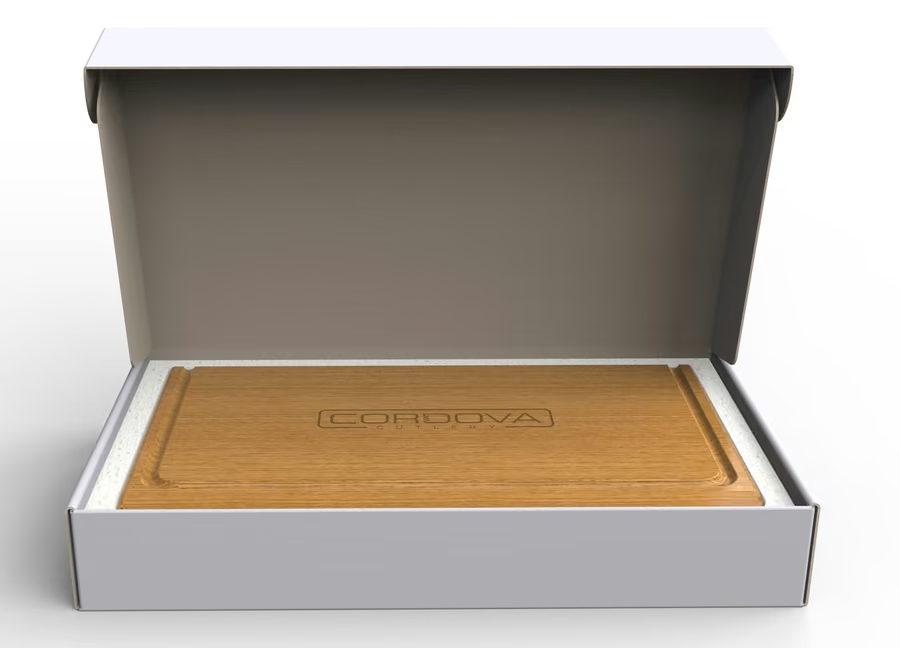
Lift the lid and the first thing the customer sees is the cutting board with the Cordova mark on it. We plan the inside of the box as carefully as the outside, because it is the part people photograph and share.
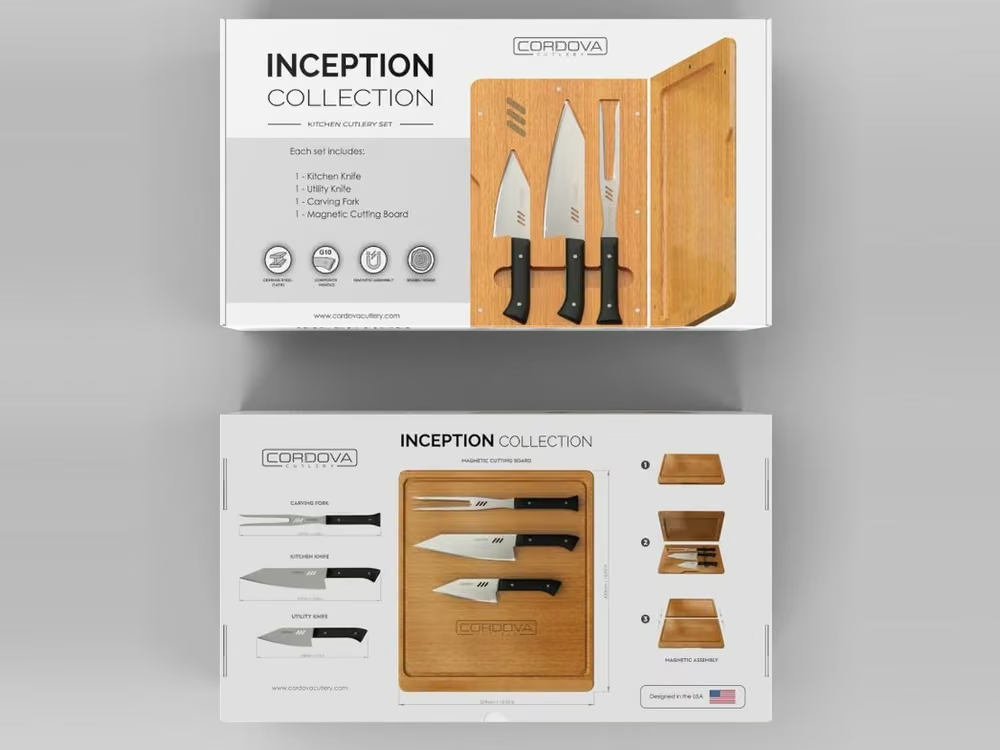
Lid on top, back panel below. The lid carries the name, what is in the set and a product shot, and the back lays out each piece. Text sizes and margins are checked against the die line.
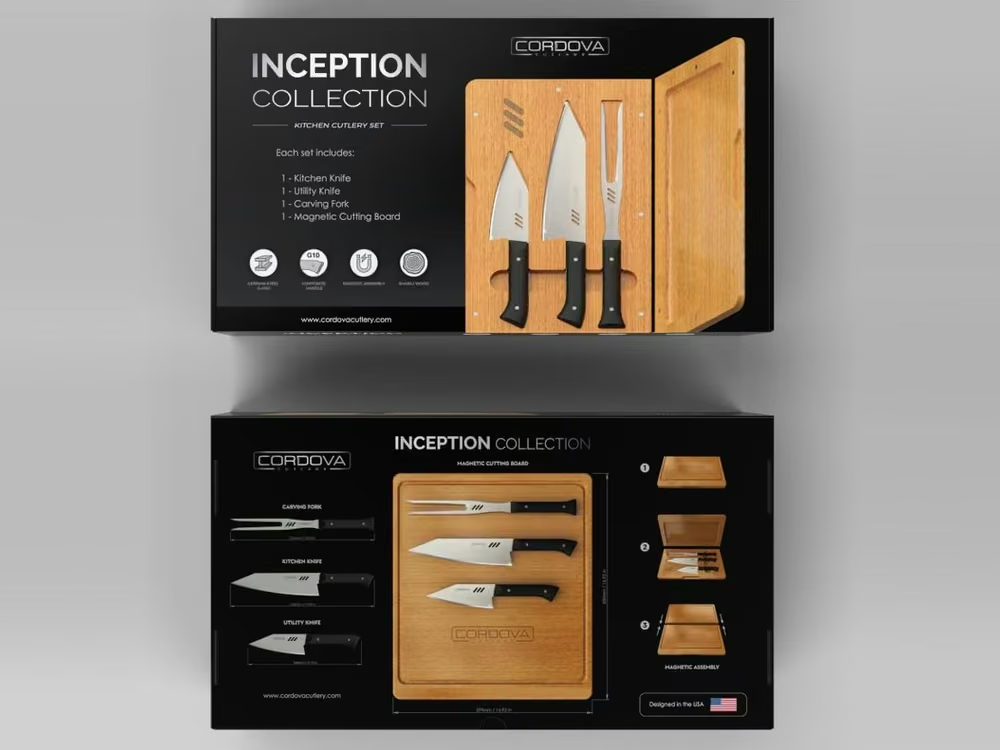
Same layout, new color. Because the layout is built once, a new colorway is a small change, not a restart. Black gives the set a premium look and lets the wood and steel stand out.
Back where we started. The print files, the die line and the previews all come from the same design, so what you approve is exactly what the printer makes.
Cordova Cutlery is shown with permission, so we can show the whole process. The steps are the same for yours. The sketch is hand drawn and the other images are renders of the design files.
Step by step
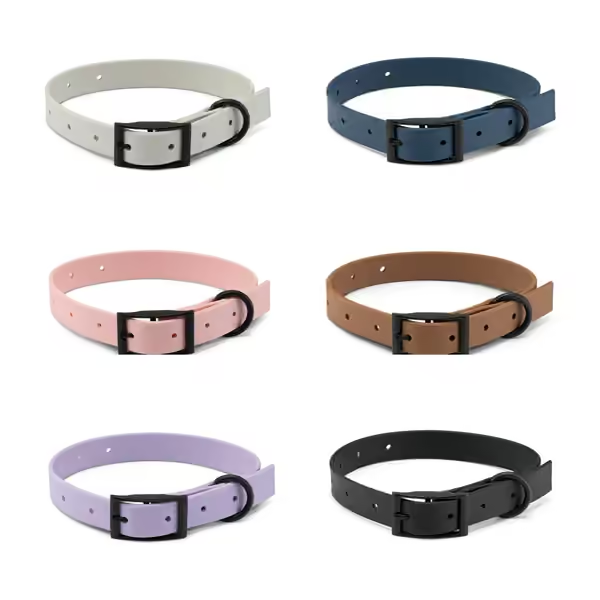
Clean product shots on white come first, so everything after matches the real product.

One layout, six colorways. The lid, back panel and side are laid out once, then recolored.

Concept render of the leash box, front and back.
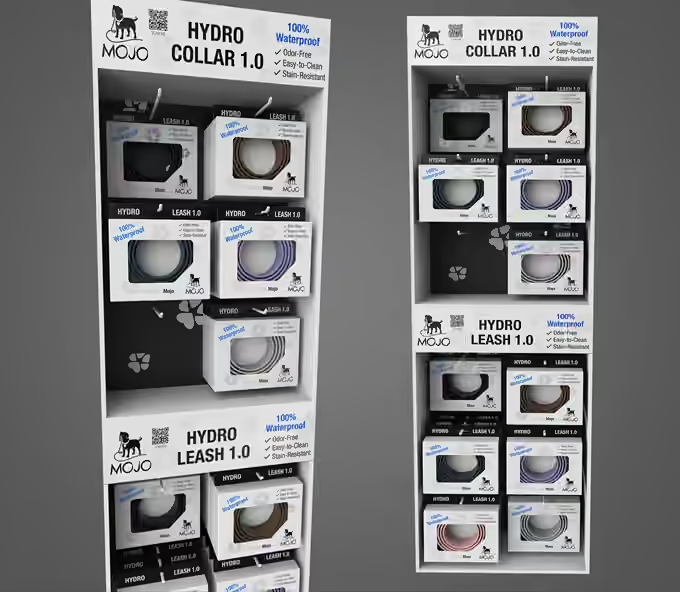
A countertop display, shown as a concept.

A wall display next to a shipper. Concept render.
Mojo Pet Products is a separate company, shown with permission. Box, layout and display images are concepts, not products on a shelf. The steps are the same for yours.
How it works
01
We take your real dimensions and photos and size the box around the product, not the other way around.
02
A flat, printer-ready plan with folds and glue flaps. If your printer already has a die line, send it and we design to it.
03
Front, back, sides and inside. Your name, a clear product story and the facts a shopper looks for.
04
If your retailer has packaging guidelines, send them and we check the layout against them. Retailers make the final call.
To get started
Send what you have. We will tell you what is missing.
Retail Preparation
Packaging and pitch decks to get you shelf-ready, then introductions to our big-box broker partners for Walmart, Sam's Club, Costco and Target, when you're ready.
Shelf-ready packaging that sells your product and meets retailer requirements.
See a box go from blank to finishedBuyer-ready presentations and one-page sell sheets for investors, distributors and retailers.
See a sample retail deckA pet-product brand, step by step: logo, clean product images, box and display concepts.
Read the Mojo case studyIntroductions to broker partners who work with these retailers every day.
Introductions to broker partners for these retailers, when your brand is ready.
We get your brand ready first, then introduce you to the right person.
Real example
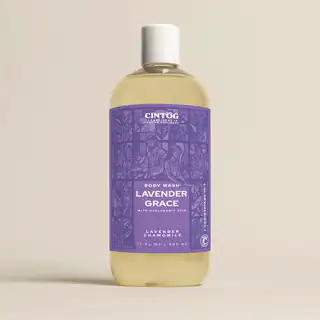
This is what Asset Optimization does for a real brand, CINTOG. Messy files go in, and checked, renamed, correctly sized copies come out for Walmart, Amazon, your website and social media.
Send us the details and we will reply with a quote or a few questions. Asking is free.
Helpful to include: what the product is, where you are today (sketch, prototype or ready to sell), what you need, and your deadline.
Email us for a quoteor write to bling@bling-ventures.com
Free evaluation and previews. You see the price before you buy anything.
Start free onboarding